


If you need to learn how to deploy Laravel on Ubuntu VPS infrastructure without wasting weekends on broken documentation, you came to the right place. Laravel 11 and 12 still dominate PHP application development in 2026, and Ubuntu's 24.04 LTS release gives you five years of security patches, which makes it the most boring, reliable choice for a production server. This guide walks through the entire workflow: from picking the right VPS tier to tuning OPcache and supervisor for a busy queue.
What's the Quickest Way to Deploy Laravel on an Ubuntu VPS?
The fastest path combines three elements: a managed control panel or one-click installer, an Ubuntu 24.04 LTS image, and a Git-based deploy hook. You can stand up a production-grade Laravel instance in roughly 20 minutes if you skip the panel route and use a direct LAMP/LEMP stack, or in under 5 minutes with Hostinger's one-click Laravel installer inside hPanel.
Why Ubuntu is Ideal for Laravel
Ubuntu is a Linux distribution based on Debian, and Canonical ships it with long-term support cycles that align with PHP's release cadence. The apt repository includes pre-built PHP 8.x packages with all the extensions Laravel needs (mbstring, xml, zip, bcmath, tokenizer). You don't have to compile anything from source.
Laravel's Core Components
At its core, Laravel is a PHP web application framework for building modern web applications. It runs on an MVC (Model-View-Controller) pattern, which separates data, presentation, and business logic. Composer handles dependency management, while Eloquent provides the ORM layer for MySQL or MariaDB.
High-Level Deployment Flow
The end-to-end flow looks like this:
- Provision an Ubuntu 24.04 VPS with at least 2 vCPUs and 4 GB of RAM.
- Lock down SSH with key-based auth and configure ufw.
- Install the LAMP or LEMP stack plus Composer.
- Pull your Laravel repo into /var/www/html and run migrations.
- Point Nginx or Apache at the public/ directory.
- Tune caching, queues, and SSL.
Definition: A VPS (Virtual Private Server) is a virtual machine that runs its own copy of an operating system on shared physical hardware, giving you dedicated resources and root access without the cost of a full dedicated server.
Why Deploying Laravel on Ubuntu Matters in 2026

PHP frameworks in 2026 lean heavily on Laravel for a reason: it automates repetitive tasks like routing, sessions, and caching, and ships with built-in security against SQL injection, CSRF, and XSS. Pairing that with Ubuntu gives you a deployment target that will receive security patches until 2029.
PHP Frameworks in 2026
Laravel still leads Packagist downloads and Stack Overflow mentions. Symfony remains the strongest alternative for very large enterprise stacks, but for most application teams Laravel's expressive and readable code syntax wins on velocity. If you're shipping a SaaS in 2026, Laravel Octane with FrankenPHP or Swoole gives you a meaningful throughput boost over traditional FPM.
Ubuntu's Long-Term Support Advantage
Canonical now offers five years of LTS support on standard releases and twelve years with the Legacy add-on. Ubuntu 22.04 and 24.04 are the two most commonly deployed server versions, and both ship with current PHP 8.3 and 8.4 packages in their universe repositories. That support window matters when your hosting renewal pricing cycle is longer than your framework's release cadence.
VPS Market Trends
NVMe storage has become table stakes for serious providers, and dedicated bandwidth, RAM, and CPU on VPS plans are no longer premium upsells. Most top-tier hosts in 2026 offer 9 global datacenter locations, 1 Gbps network ports, and 99.9% SLA uptime commitments. Pricing has stabilized: a 4 GB / 2 vCPU NVMe VPS runs $11-$19/month on entry-level tiers, with renewal pricing typically 30-50% higher after the first term.
What You Need Before You Deploy
Get the prerequisites right and the rest of the deployment is mechanical. Skip them and you'll spend hours debugging permission errors.
Hardware & Storage Options
For a single Laravel application serving under 10,000 daily users, 2 vCPUs, 4 GB RAM, and 50 GB of NVMe storage is the minimum sensible baseline. If you're running queues, broadcasting, or Octane, bump to 4 vCPUs and 8 GB. Hostinger's VPS hosting plans and similar tiers from competitors expose these slices with one-click scaling.
Required Software Stack
You need:
- Ubuntu 22.04 or 24.04 LTS (avoid 20.04 unless your PHP version pins require it)
- PHP 8.2 or 8.3 with extensions: mbstring, xml, bcmath, curl, zip, gd, mysql, pgsql
- Composer 2.x
- MariaDB 10.11+ or MySQL 8.0+
- Apache 2.4 or Nginx 1.24+
Security & Access Setup
Generate an SSH key pair before you provision the server, then disable password auth. Have your domain's DNS ready and pointing at the VPS IP, and decide whether you'll use Let's Encrypt for TLS or a commercial cert.
Initial Server Configuration
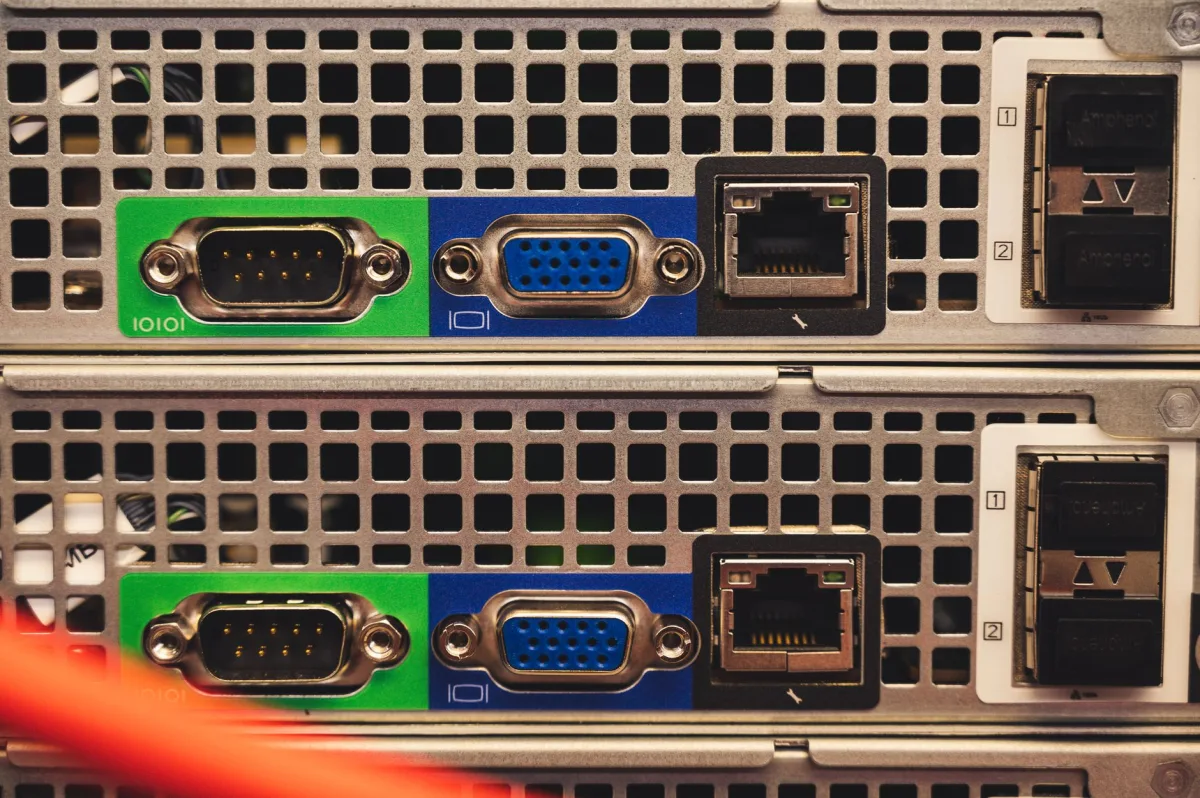
Server hardening takes about 10 minutes and pays for itself the first time a bot tries to brute-force your root account.
Update & Upgrade Ubuntu
SSH into the server and run:
sudo apt update && sudo apt upgrade -yCreate a Non-Root User
Never deploy as root. Add a deployer account with sudo privileges:
adduser deployer
usermod -aG sudo deployer
Secure SSH and UFW
Edit /etc/ssh/sshd_config, set PasswordAuthentication no, then restart sshd. Enable the firewall:
sudo ufw allow OpenSSH
sudo ufw allow "Apache Full"
sudo ufw enable
The sudo ufw allow "Apache Full" command opens firewall ports for Apache on HTTP (80) and HTTPS (443), as documented in the Hostinger Ubuntu Laravel walkthrough.
Installing PHP, Composer, and Database
This is the meat of the stack. Get comfortable with these commands; you'll repeat them on every new server.
PHP 8.x with Extensions
Add the Ondřej Surý PPA for current PHP releases, then install:
sudo apt install php libapache2-mod-php php-mbstring php-xmlrpc php-soap php-gd php-xml php-cli php-zip php-bcmath php-tokenizer php-json php-pearVerify with php -v and create a temporary phpinfo() file if you need a visual confirmation. phpinfo() is a built-in PHP function that outputs information about PHP's configuration, modules, and environment variables.
Composer Global Installation
Pull the Composer installer and move the binary into your PATH:
curl -sS https://getcomposer.org/installer | php
sudo mv composer.phar /usr/local/bin/composer
MariaDB/MySQL Setup
Install the database server with sudo apt install mariadb-server, then run sudo mysql_secure_installation to set a root password, drop the test database, and disable remote root login. Create a dedicated database and user for your Laravel app.
Deploying the Laravel App
With the stack installed, you can focus on how to deploy Laravel on Ubuntu VPS by getting the actual code onto the box and pointing a web server at it.
Pulling Code via Git or FTP
Git is the right answer for almost everyone. Clone your repo into /var/www/yourapp, set the deployer user as the owner, and add a .env file based on .env.example. SSH and FTP are both valid transfer methods, but Git gives you versioning and atomic deploys for free.
Setting Up Virtual Host (Apache/Nginx)
A virtual host is a configuration that allows a single web server to host multiple domain names. For Apache, create /etc/apache2/sites-available/yourapp.conf pointing to the public/ directory. For Nginx, the equivalent is a server block under /etc/nginx/sites-available. Either way, document root must be Laravel's public/ folder, never the project root.
Configuring .env and File Permissions
Run php artisan key:generate and php artisan migrate --force. Then fix ownership:
sudo chown -R www-data:www-data /var/www/yourapp
sudo chmod -R 775 /var/www/yourapp/storage /var/www/yourapp/bootstrap/cache
This is the single most common source of "permission denied" errors in production.
Performance Tuning & Scaling
Default Laravel runs fine for development and weak traffic. In production you need explicit tuning to keep p95 response times under 200 ms.
Caching with Redis or Memcached
Swap Laravel's file driver for Redis in config/cache.php. Redis is faster for most workloads; Memcached wins on memory efficiency. Both reduce database load dramatically when you cache sessions, config, and route definitions.
Queue Workers & Supervisor
Long-running jobs should never run in the web request cycle. Configure Supervisor to manage php artisan queue:work processes, and restart them automatically after each deploy.
Web Server Tuning and Compression
Enable gzip or Brotli on Nginx, turn on HTTP/2, and set proper cache headers for static assets. For PHP, configure OPcache with opcache.validate_timestamps=0 in production so the JIT compiler runs at full speed.
Real-World Tradeoffs in Production
Every hosting decision is a tradeoff. Here's what you actually feel in production.
Cost vs Performance
A 2 vCPU / 4 GB VPS handles most Laravel apps under 50k monthly visitors. Beyond that, vertical scaling gets expensive fast. The 8 GB / 4 vCPU tier usually beats the 4 GB / 2 vCPU tier on price-per-request by 30-40% because PHP-FPM workers scale linearly with cores until you hit I/O bottlenecks.
Maintenance Overhead
Self-managed VPS means you own OS patching, security updates, and certificate renewals. Panels like Laravel Forge, RunCloud, and ServerPilot automate most of this. The App Server type in Forge bundles PHP, Nginx, a database, Redis, and Memcached into a single installation, which is what most teams need for a standard Laravel deploy.
Security Implications
Shared hosting may not support scaling large applications and imposes fair use limits on bandwidth and CPU. A VPS gives you isolation but also responsibility: patch promptly, audit dependencies, and rotate keys. Tools like Cockpit, aaPanel, and Ajenti give you browser-based monitoring without exposing risky services publicly.
Pros, Cons, and Best Practices
Here's a balanced view of the Ubuntu VPS approach.
Advantages of Ubuntu VPS
- Full root access via SSH and freedom to install any package.
- One-click OS template installation for Laravel, WordPress, or a clean Ubuntu image.
- Browser terminal for command execution when SSH is blocked by a corporate firewall.
- Dedicated bandwidth, RAM, and CPU on VPS plans with NVMe storage.
- 9 global datacenter locations on most major providers, with SLA uptime of 99.9% or better.
Common Drawbacks
- OS template installation permanently erases all server data. Always snapshot before re-imaging.
- Unlimited bandwidth is subject to fair use policies, which may throttle or bill overage.
- Self-managed means you handle backups, security patches, and renewal pricing negotiations yourself.
- ServerPilot lacks Git deployment, scheduling, and support for multiple domain names compared to RunCloud or Forge.
Checklist for a Robust Deployment
- Use Ubuntu 24.04 LTS for the longest support window.
- Disable root SSH login and require key-based auth.
- Run Laravel behind Nginx with PHP-FPM and HTTP/2.
- Enable OPcache, route caching, and config caching in production.
- Set up automated nightly database backups with offsite retention.
- Monitor with a tool like UptimeRobot or your panel's built-in health checks.
Common Mistakes & Troubleshooting
These are the issues that eat the most hours in production support tickets.
Permission & Ownership Issues
If you see "The stream or file could not be opened" errors, storage/ or bootstrap/cache/ is not writable by the web server user. Recursive chown to www-data and chmod 775 fixes it. Never set these directories to 777; that breaks security guarantees.
Configuration Drift
Servers that were hand-configured six months ago tend to drift from documented state. Use Ansible, Salt, or a panel like RunCloud to make every server reproducible. If you can't rebuild from scratch in under an hour, you don't really have a deployment pipeline.
SSL Misconfiguration
Most SSL problems come from missing intermediate certificates, mismatched private keys, or forgotten HSTS headers. Use Certbot with the Nginx or Apache plugin and test the resulting configuration with an external scanner before pointing production traffic at it.
Who Is This Best For? Deployment Personas
Match your situation to the right approach. The same stack fits very different teams.
| Target Persona | Recommended Option | Key Reason & Real-World Benefit |
|---|---|---|
| Solo developer / hobbyist | Hostinger VPS with hPanel + Auto Installer | One-click Laravel installation via Hostinger Auto Installer and a browser terminal; you get a working app without touching apt. |
| Small team (2-5 devs) | RunCloud on a 4 GB / 2 vCPU NVMe VPS | Comprehensive features including Git deployment, server health information, and multiple domains per virtual host; affordable at $0.50/host/month. |
| Enterprise / agency | Laravel Forge on AWS, Vultr, or Digital Ocean | Best performance and easy API integration for server deployment; Forge opens required ports (80, 443, 22) automatically and ships with an installer that configures PHP, Nginx, a database, Redis, and Memcached in one package. |
| Hybrid cloud / multi-region | Self-managed Ubuntu 24.04 with Ansible + Tinkerwell | Total control over image, network, and secrets; pair with Linode or Vultr for predictable renewal pricing and a 1 Gbps port. |
Verdict: For most teams in 2026, Laravel Forge on a 4 GB / 2 vCPU NVMe VPS is the highest-velocity path. For hobbyists, Hostinger's hPanel route is unbeatable on time-to-first-deploy. Pick Forge when you outgrow the panel and need API-driven infra.